Activity diagram for online exam registration (with parallel steps)
This activity diagram shows how a candidate registers for an exam online. After logging in, the candidate pays the fee and uploads documents in parallel, then downloads the hall ticket. It suits students learning UML activity diagrams and developers planning a registration portal.
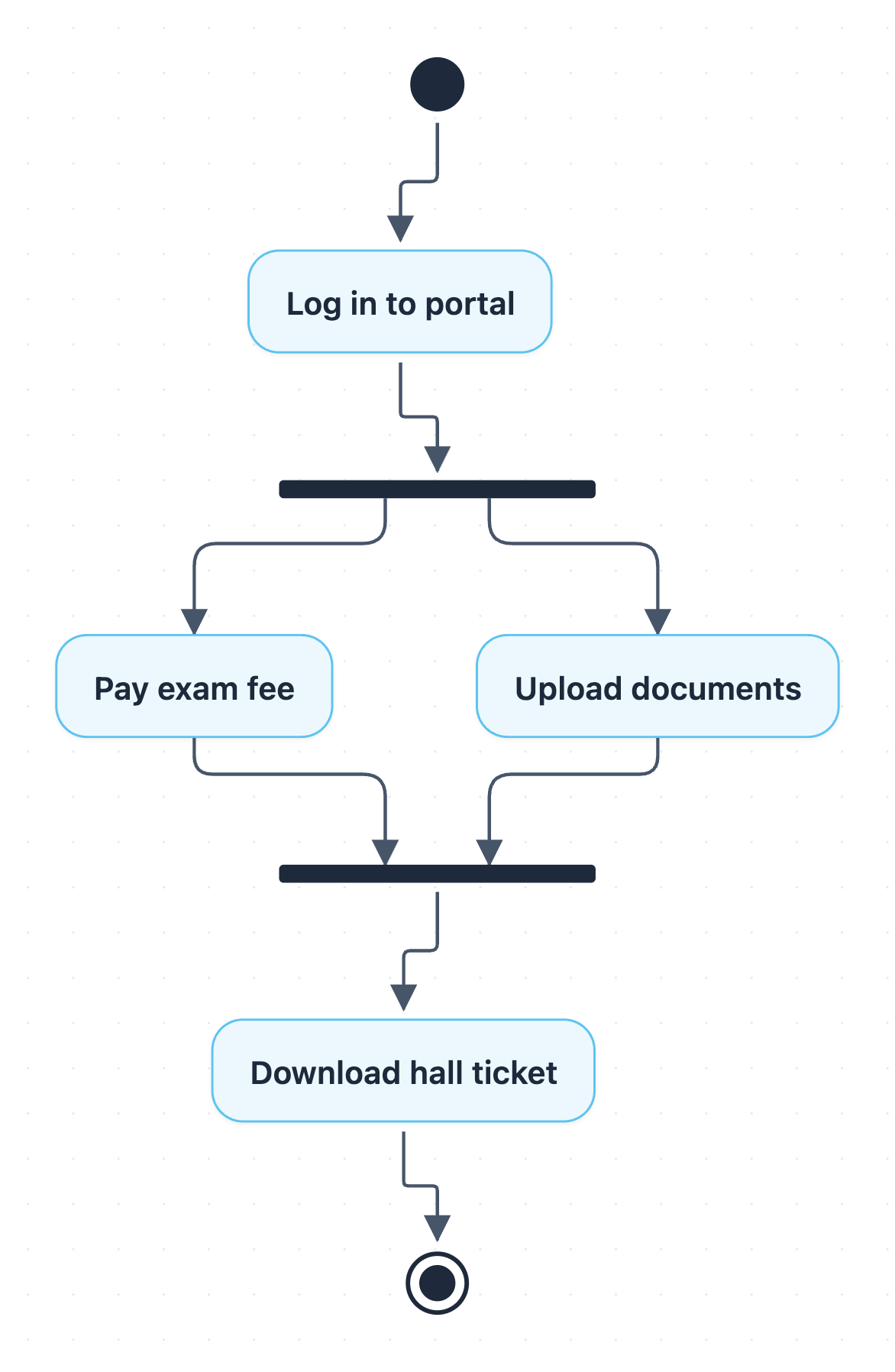
Example: Activity diagram for exam registration: click to open it in the editor and change it.
The steps in order
- Start: the candidate begins the registration process.
- Log in to portal: the candidate signs in to the exam portal.
- Fork: the flow splits into two parallel branches.
- Pay exam fee: one branch handles the fee payment.
- Upload documents: the other branch handles document uploads, at the same time as payment.
- Join: the flow waits here until both branches are finished.
- Download hall ticket: once fee and documents are both done, the candidate downloads the hall ticket.
- End: registration is complete.
Why a fork and join?
The fork and join bars show that Pay exam fee and Upload documents do not depend on each other. The candidate can do them in either order or at the same time. The join is a synchronization point: Download hall ticket cannot start until both parallel actions have finished. This is different from a decision node, which picks only one path.
| Node | Type | Role |
|---|---|---|
| Log in to portal | Action | Entry point after start |
| Fork | Fork | Splits into parallel branches |
| Pay exam fee | Action | Parallel branch 1 |
| Upload documents | Action | Parallel branch 2 |
| Join | Join | Waits for both branches |
| Download hall ticket | Action | Final action before end |
How to adapt it for your project
- Add a decision after Log in to portal for failed logins if your system needs to show retries.
- Add a decision after Pay exam fee to handle payment failure and loop back.
- Insert extra parallel actions between the fork and join, such as choosing an exam centre.
- Use swimlanes to separate the candidate, payment gateway and exam office.
- Rename Download hall ticket to match your institution, e.g. admit card.
Tip: Every branch leaving a fork must reach the matching join. If one branch can end early, the join will wait forever, so check that both parallel actions always finish.
Frequently asked questions
What are the parallel activities in online exam registration?
The two parallel activities are **Pay exam fee** and **Upload documents**. They start together at the fork and must both finish at the join before the hall ticket can be downloaded.
What is the difference between a fork and a decision in an activity diagram?
A fork starts several branches that all run, while a decision chooses only one branch based on a condition. This diagram uses a fork because both payment and document upload are required.
How many actions are in this exam registration activity diagram?
There are four actions: Log in to portal, Pay exam fee, Upload documents and Download hall ticket. There is also a start node, an end node, one fork and one join.
Make your own activity diagram with AI →