App launch plan Gantt chart
This product launch Gantt chart is a starter template titled **App launch plan**. It gives you a named timeline that is ready for your own tasks, owners and dates. It is for operations, IT, support, finance and HR leads who need to plan and document an app launch.
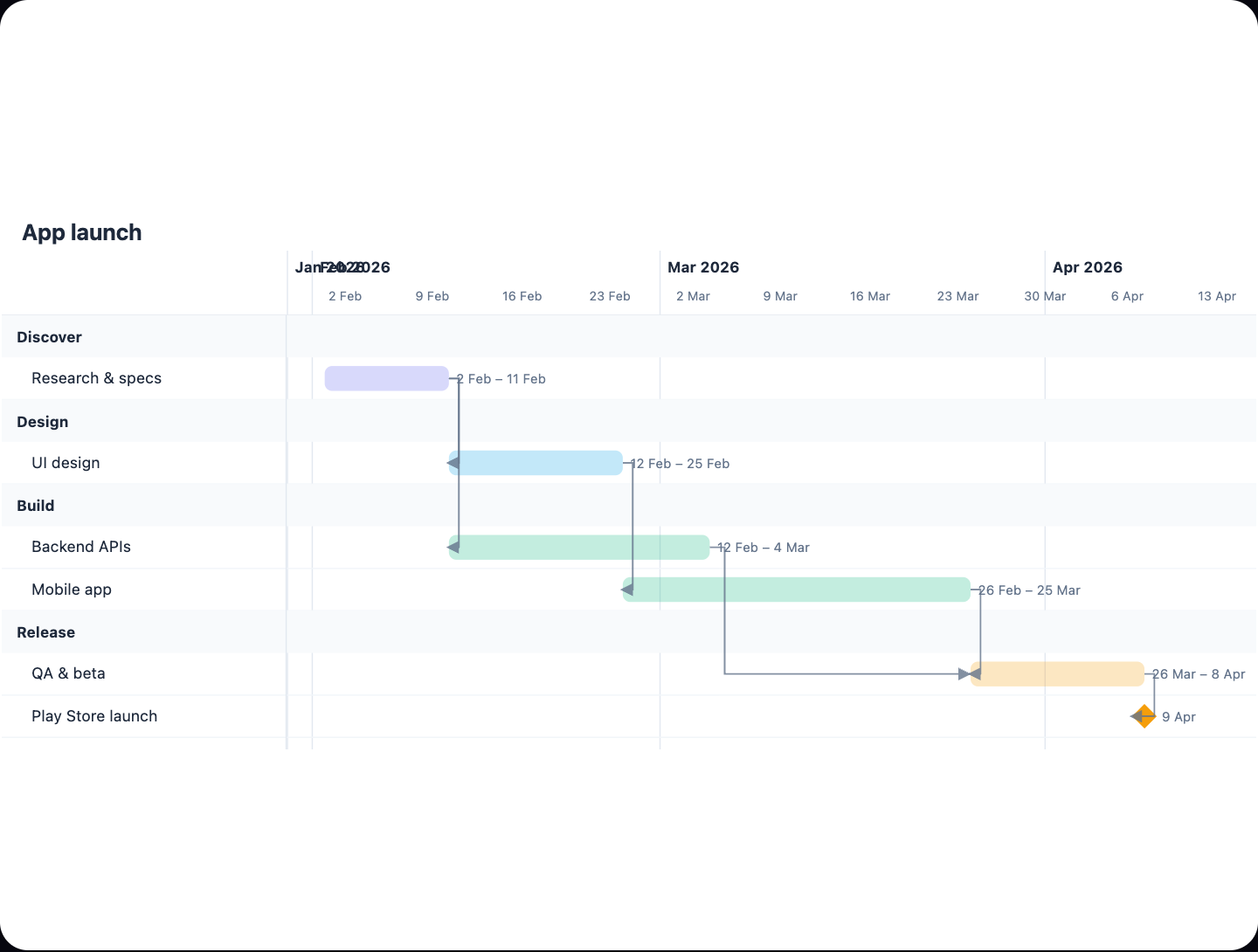
Example: Gantt chart for an app launch plan: click to open it in the editor and change it.
What the diagram contains
The diagram currently holds one element: the chart title App launch plan. It has no tasks, lanes, roles, milestones, dependencies or approval points yet. Treat it as a blank Gantt frame rather than a finished plan. This guide explains how to fill it in.
| Element | In this diagram | What you add |
|---|---|---|
| Title | App launch plan | Keep it or rename it |
| Tasks / bars | None yet | Each piece of work, with start and end dates |
| Owners / lanes | None yet | The role responsible for each task |
| Milestones | None yet | Approvals and go-live dates |
| Dependencies | None yet | Hand-offs between tasks |
How to read a Gantt chart once tasks are added
- Each bar is a task. Its length shows how long the task takes.
- A milestone marks a single point in time, such as a sign-off or the release date.
- A dependency arrow shows a hand-off, where one task cannot start until another finishes.
- Grouping bars by owner shows who is accountable at each stage.
Where this process usually slows down
The diagram has no steps yet, so it cannot show bottlenecks. When you add tasks, check these places first. Look at every dependency arrow that crosses from one owner to another, because hand-offs between roles are where work tends to wait. Look at every approval milestone and confirm who signs off and how long they have to respond. Finally, look for tasks with no owner. Unowned work is a common source of delay.
How to adapt it for your project
- List your launch work and give each task an owner taken from your own org chart, such as IT, support or finance.
- Add approval milestones that match your company's sign-off rules. Include spend or risk limits that need a manager's approval.
- Draw dependencies wherever one team hands work to another.
- Set realistic durations and record any SLA that applies, such as a turnaround time for support readiness.
- Open and edit it as dates change, so the chart stays the single source of truth.
Tip: Add approvals as their own milestones instead of hiding them inside a task bar. This makes waiting time visible, and it makes clear who owns each sign-off.
Frequently asked questions
What tasks are in this app launch Gantt chart?
None yet. The diagram contains only the title **App launch plan**, so you add the tasks, owners and dates that match your own launch.
How do I show approvals in a product launch Gantt chart?
Add each approval as a milestone, which is a single point in time, and name the role that signs off. Link it with dependencies to the tasks that cannot start until the approval is given.
How do I find bottlenecks in a launch Gantt chart?
Check the dependencies between different owners and the approval milestones, because work often waits at these points. Tasks with no clear owner are another common cause of delay.
Make your own gantt chart with AI →