Online food ordering system flowchart
This flowchart follows a food delivery order from the moment a customer places it to one of two endings: delivered or cancelled. It is a good starting point for students drawing a system flowchart for a project or exam, and for developers sketching the order flow of a delivery app.
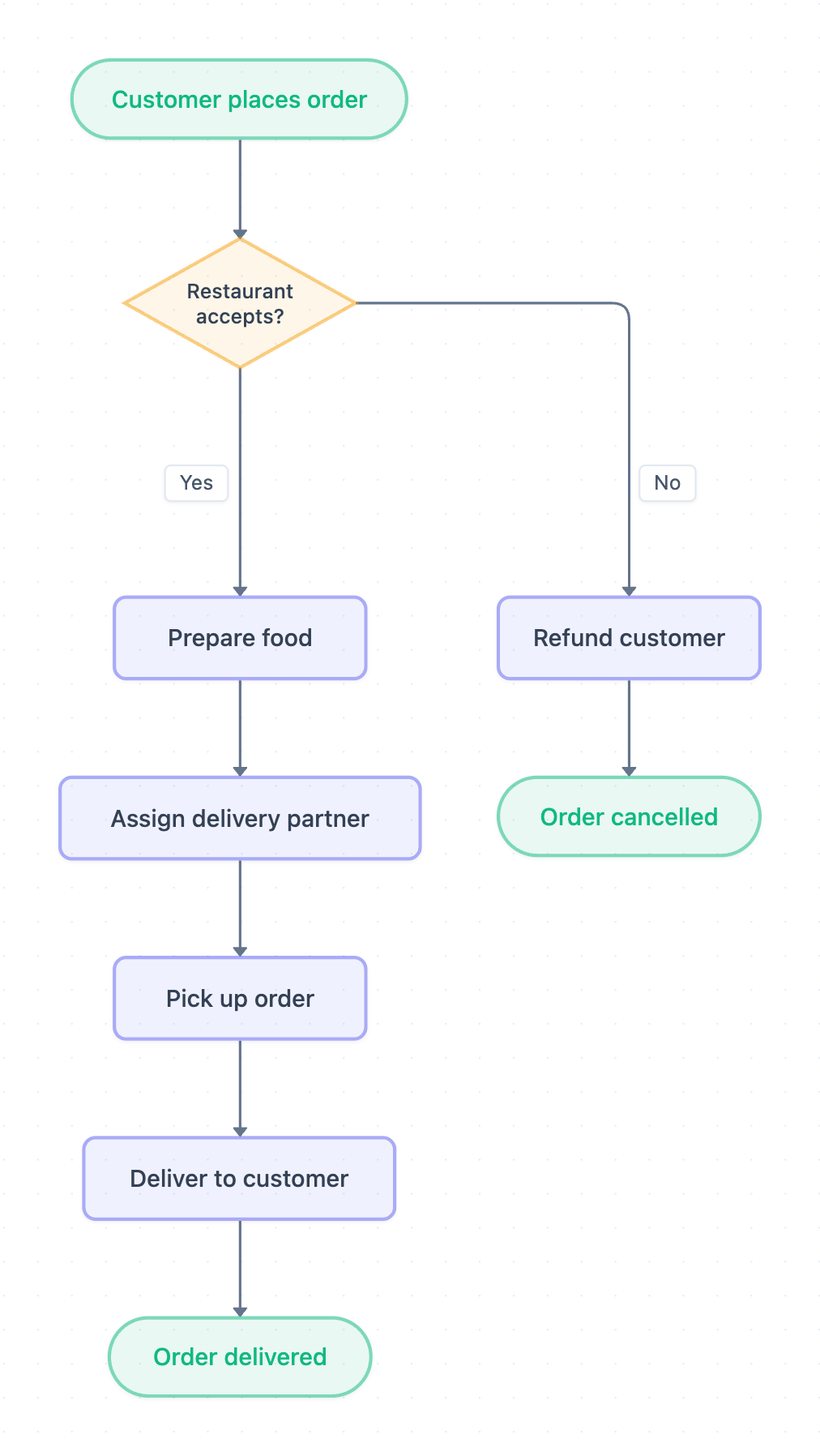
Example: Flowchart for online food ordering: click to open it in the editor and change it.
How the order flows
The diagram has one start point, one decision and two end points. Ovals mark start and end, the diamond is the decision, and rectangles are process steps.
- Customer places order: the flow starts when the customer submits an order.
- Restaurant accepts?: the restaurant decides whether it can take the order.
- Yes branch, step 1: Prepare food.
- Yes branch, step 2: Assign delivery partner.
- Yes branch, step 3: Pick up order from the restaurant.
- Yes branch, step 4: Deliver to customer.
- Yes branch ending: the flow ends at Order delivered.
- No branch: the customer gets a Refund customer step, and the flow ends at Order cancelled.
The decision point
Restaurant accepts? is the only branch in the diagram. The Yes path runs through four steps in a straight line to Order delivered. The No path has a single step, Refund customer, before it reaches Order cancelled. Because the refund happens on rejection, the diagram assumes the customer pays when placing the order.
| Shape | Meaning | Nodes |
|---|---|---|
| Oval | Start / end | Customer places order, Order delivered, Order cancelled |
| Diamond | Decision | Restaurant accepts? |
| Rectangle | Process step | Prepare food, Assign delivery partner, Pick up order, Deliver to customer, Refund customer |
How to adapt it for your project
- Add a payment check after Customer places order if payment can fail.
- Add a decision after Assign delivery partner, such as "Partner available?", with a loop back to retry.
- Split Customer places order into browse menu, add to cart and checkout if you need more detail.
- Add customer-side cancellation as a second path into Refund customer.
Tip: Keep every decision diamond labelled with a clear question and label each outgoing arrow (Yes/No). Examiners and reviewers check that every branch reaches an end oval.
Frequently asked questions
What are the main steps in an online food ordering system flowchart?
In this diagram the main steps are Customer places order, Restaurant accepts?, Prepare food, Assign delivery partner, Pick up order and Deliver to customer. The flow ends at Order delivered.
What happens if the restaurant rejects the order?
The No branch of Restaurant accepts? leads to Refund customer and then ends at Order cancelled.
How many decision points does this food ordering flowchart have?
It has one decision, Restaurant accepts?. You can add more, such as a payment or delivery partner availability check, when you open and edit it.
Make your own flowchart with AI →