Purchase order process flowchart
This purchase order process flowchart is a swimlane diagram that follows a purchase from the first request to the paid invoice. It has four lanes: Requester, Manager, Finance and Vendor. It is built for operations, finance and IT leads who need to document who owns each step and where work changes hands.
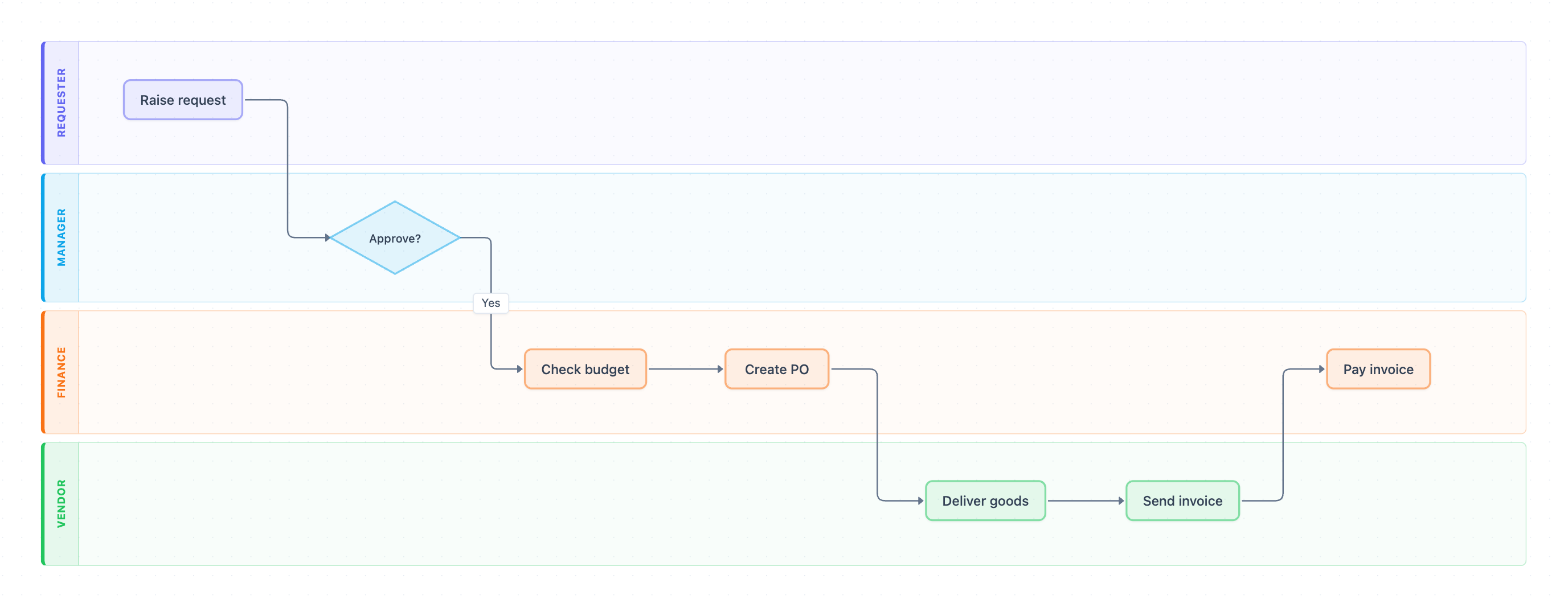
Example: Swimlane diagram for the purchase order process: click to open it in the editor and change it.
Steps by lane, in order
- Raise request (Requester): an employee asks to buy goods. This is the first hand-off, from Requester to Manager.
- Approve? (Manager): the only decision point. On Yes, the request moves to Finance.
- Check budget (Finance): Finance confirms that funds are available.
- Create PO (Finance): Finance issues the purchase order. This is the hand-off to the Vendor.
- Deliver goods (Vendor): the vendor ships the order.
- Send invoice (Vendor): the vendor bills the company, handing off back to Finance.
- Pay invoice (Finance): Finance settles the invoice, and the process ends.
Hand-offs and decision points
The flow crosses lanes four times: Requester → Manager, Manager → Finance, Finance → Vendor and Vendor → Finance. Each crossing is a point where ownership changes and a request can stall. The diagram draws only the Yes path from Approve?. It does not show what happens when a manager rejects a request.
Where this process usually slows down
- Approve?: requests wait in a manager's queue when there is no approval SLA or backup approver.
- Check budget: this step is drawn as a task with no outcome branch. In practice, a budget shortfall becomes an exception that nobody clearly owns.
- Send invoice → Pay invoice: if Finance cannot match the invoice to the PO and the delivery, payment is held up.
How to adapt it for your project
- Rename the lanes to match your real roles, for example Department Head, Procurement or Accounts Payable.
- Add your approval limits. For instance, add a second Approve? diamond for spend above a set amount that routes to a director or CFO.
- Draw the No branch from Approve? back to Raise request. Add a budget decision after Check budget so exceptions have an owner.
- Add a goods receipt step if your company does three-way matching before Pay invoice.
Tip: Write the SLA and the owner next to each lane crossing, such as "Manager approves within 2 business days." This turns the diagram into a working process standard.
Frequently asked questions
What are the steps in a purchase order process flowchart?
In this diagram the steps are Raise request, Approve?, Check budget, Create PO, Deliver goods, Send invoice and Pay invoice. They are spread across the Requester, Manager, Finance and Vendor lanes.
Who approves a purchase order in this process?
The Manager lane owns the single Approve? decision. Finance then checks the budget and creates the PO, but it is not drawn as a second approval.
Why use a swimlane diagram for purchase orders?
Swimlanes show which role owns each step and make hand-offs between Requester, Manager, Finance and Vendor visible. That makes bottlenecks and unclear ownership easier to spot.
Make your own swimlane diagram with AI →