State diagram for an online order (order lifecycle)
This state diagram shows the lifecycle of an online order, from the moment it is placed until it is delivered, cancelled or refunded. It is useful for students learning UML state machines and for developers designing order status logic in a shop or e-commerce backend.
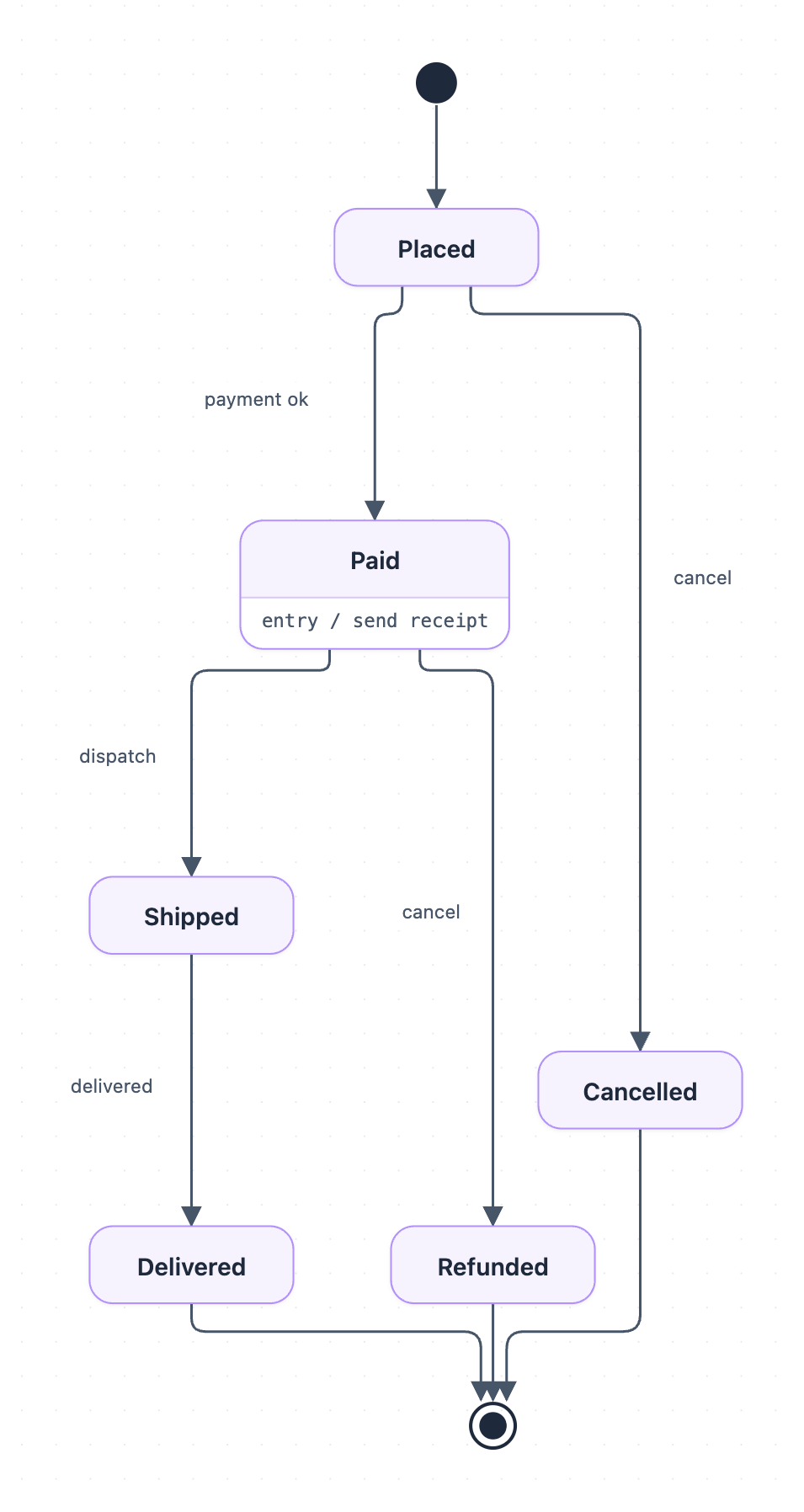
Example: State diagram for an online order: click to open it in the editor and change it.
The states in the order lifecycle
| State | Meaning | Notes |
|---|---|---|
| Placed | The customer has submitted the order | First state after the start point |
| Paid | Payment has been confirmed | Entry action: send receipt |
| Shipped | The order has left the warehouse | Reached only from Paid |
| Delivered | The customer has received the order | Leads to the end point |
| Cancelled | The order was cancelled before payment | Leads to the end point |
| Refunded | The order was cancelled after payment | Leads to the end point |
Transitions and events in order
- From the start point, every order enters Placed.
- From Placed, the event payment ok moves it to Paid. The event cancel moves it to Cancelled instead.
- On entering Paid, the entry action send receipt runs once.
- From Paid, the event dispatch moves it to Shipped. The event cancel moves it to Refunded, because money has already been taken.
- From Shipped, the event delivered moves it to Delivered.
- Delivered, Cancelled and Refunded each end at the final state.
Note that the same cancel event has a different result depending on the current state. That is the main idea a state diagram captures. Also, there is no cancel transition out of Shipped, so once an order is dispatched it can only be delivered.
How to adapt it for your project
- Add a Payment failed state from Placed if you want to track failed attempts instead of just waiting.
- Add a Returned state after Delivered that leads to Refunded if your shop accepts returns.
- Add guards such as [stock available] on dispatch to show conditions.
- Add more entry actions, for example entry / notify customer on Shipped.
- Map each state to a status value in your database so code and diagram stay in sync.
Tip: Check every state against every event. Ask "what happens if the customer cancels now?" for each state. Any missing transition is either a deliberate rule, like no cancel after Shipped, or a gap in your design.
Frequently asked questions
What are the states of an online order in a state diagram?
This diagram has six states: Placed, Paid, Shipped, Delivered, Cancelled and Refunded. It also has a start point and an end point.
What is the difference between Cancelled and Refunded in this order state diagram?
Cancelled is reached when the order is cancelled while still in Placed, before payment. Refunded is reached when it is cancelled from Paid, after money has been taken.
What does "entry / send receipt" mean in the Paid state?
It is an entry action, an activity that runs automatically each time the order enters the Paid state. Here, it means a receipt is sent as soon as payment is confirmed.
Make your own state diagram with AI →