CI/CD pipeline diagram (GitHub Actions)
This flowchart shows a typical CI/CD pipeline as GitHub Actions runs it. A push or pull request starts **Lint** and **Test** in parallel, a **build** step waits for both, and only the **main branch** deploys to production. It suits developers documenting a pipeline or explaining it to a new team member.
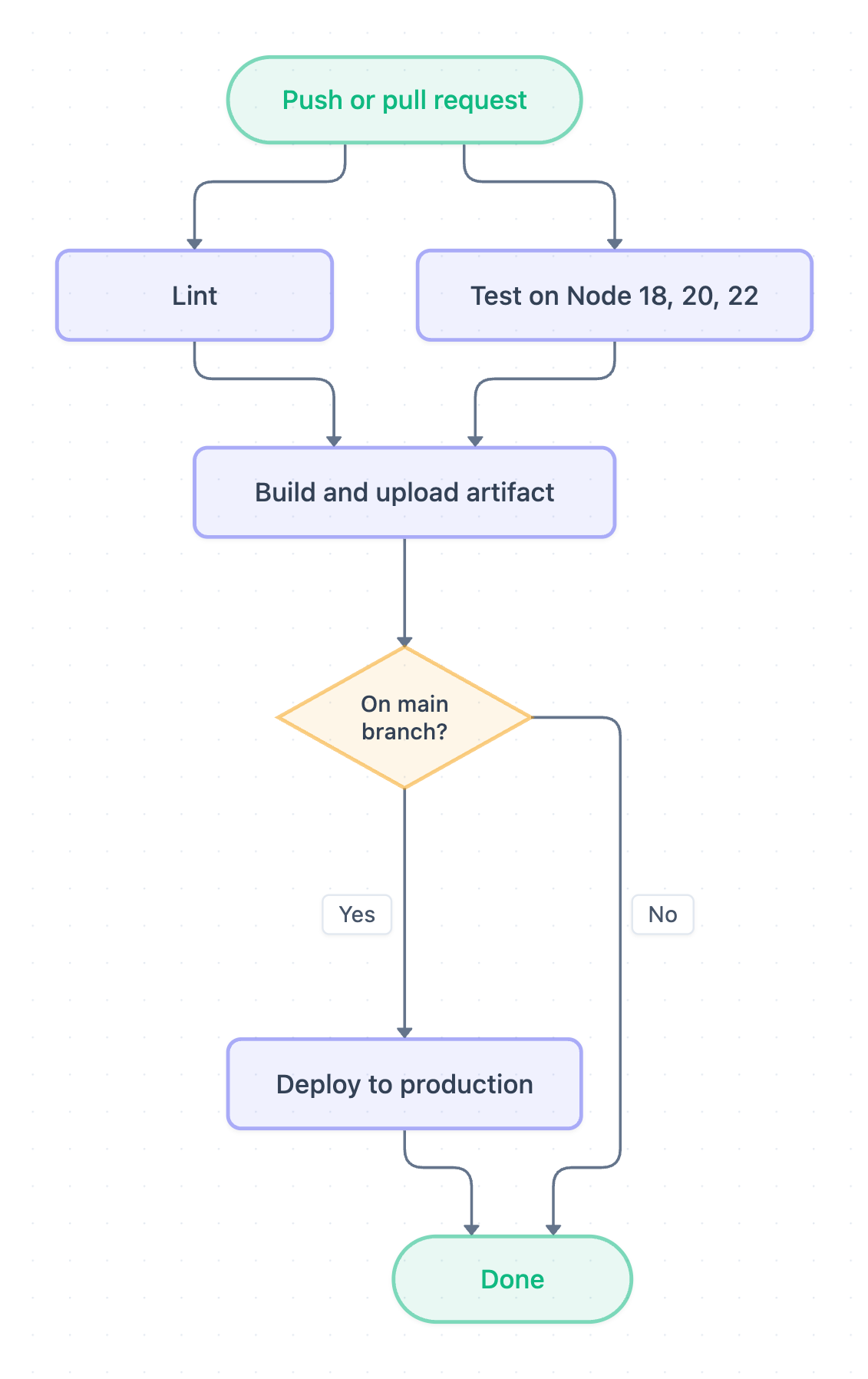
Example: Flowchart for a CI/CD pipeline: click to open it in the editor and change it.
The pipeline step by step
- Push or pull request triggers the workflow.
- Lint and Test on Node 18, 20, 22 run at the same time (a test matrix).
- Build and upload artifact starts once both have passed.
- On main branch? Yes: Deploy to production. No: the run is Done without deploying.
What each part means
| Step | Why it is there |
|---|---|
| Lint | Catches style and simple code errors early, in seconds |
| Test on Node 18, 20, 22 | Runs the test suite on each supported Node version |
| Build and upload artifact | Produces one build that later steps reuse |
| On main branch? | Pull requests are checked but never deployed |
How to adapt it for your project
- Add a staging deploy and smoke test before production.
- Add a manual approval step before the production deploy.
- Swap the Node matrix for your language versions, or add a security scan next to lint.
Tip: AI Flowchart's GitHub Actions visualizer draws this kind of diagram straight from your workflow YAML file.
Frequently asked questions
What are the stages of a CI/CD pipeline?
Trigger, lint and test, build, then deploy. Production deploys usually run only from the main branch.
Why do lint and tests run in parallel?
They don't depend on each other, so running them at the same time makes the pipeline faster. The build waits for both.
Why don't pull requests deploy?
Pull requests are checked by the same lint and tests, but the main-branch decision stops them before production.
Make your own flowchart with AI →