Sign in with Google sequence diagram (OAuth)
This sequence diagram shows how "Sign in with Google" works between the **User**, your **App**, **Google** and your **Backend**. The key idea is that the app receives an **ID token** from Google, and the backend verifies it before creating a session. It suits developers adding Google sign-in and anyone explaining OAuth and OpenID Connect.
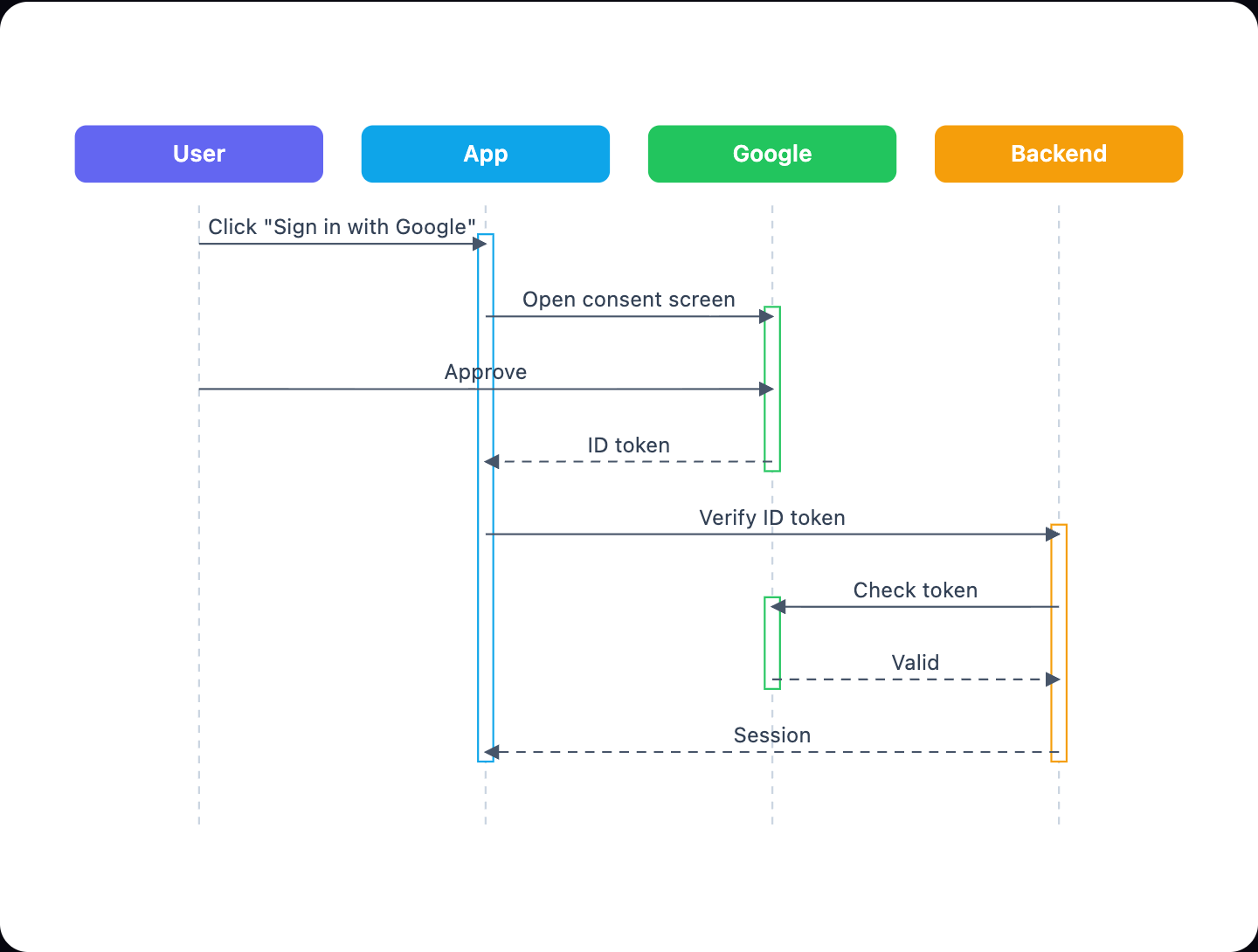
Example: Sequence diagram for Sign in with Google: click to open it in the editor and change it.
The messages in order
- User → App: Click "Sign in with Google".
- App → Google: Open the consent screen.
- User → Google: Approve.
- Google → App: ID token.
- App → Backend: Verify the ID token.
- Backend → Google: Check the token.
- Google → Backend: Valid.
- Backend → App: Session.
Why the backend verifies the token
The app could read the ID token itself, but a token from the browser can't be trusted on its own. The Backend checks it with Google, confirming the signature and that it was issued for your app, before it creates the user's session.
How to adapt it for your app
- Add a new user? alt box where the backend creates the account on first sign-in.
- Verify the token locally with Google's public keys instead of a call to Google, which saves a round trip.
- Add the cookie or token the backend returns, and later requests that use it.
Tip: Always check that the token's audience matches your own client ID, so tokens issued to other apps are rejected.
Frequently asked questions
Is Sign in with Google OAuth or OpenID Connect?
Both: OpenID Connect is built on OAuth 2.0 and adds the ID token that tells your app who the user is.
What is the ID token?
A signed token from Google with the user's identity, such as their email and a unique ID. Your backend verifies it before trusting it.
Why does the backend talk to Google too?
To confirm the token is genuine and meant for your app. A token sent from the browser alone could be forged.
Make your own sequence diagram with AI →