School organizational chart
This school organizational chart shows two reporting lines under the **Principal**. One is an academic line run by the **Vice Principal**, and the other is an administrative line run by the **Administrator**. It is useful for operations, HR, finance and IT leads who need to map owners, approvals and escalation paths in a school or a similar two-track organization.
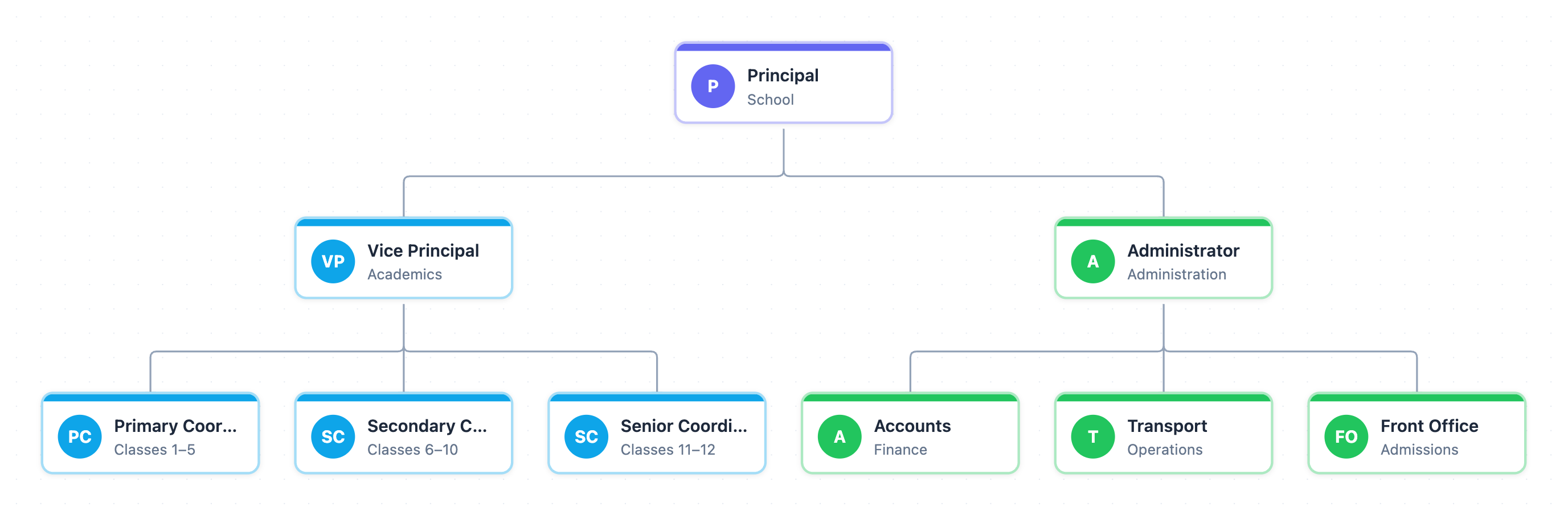
Example: Org chart for a school: click to open it in the editor and change it.
Roles and reporting lines
| Role | Area | Reports to |
|---|---|---|
| Principal | School | Top of the chart |
| Vice Principal | Academics | Principal |
| Primary Coordinator | Classes 1–5 | Vice Principal |
| Secondary Coordinator | Classes 6–10 | Vice Principal |
| Senior Coordinator | Classes 11–12 | Vice Principal |
| Administrator | Administration | Principal |
| Accounts | Finance | Administrator |
| Transport | Operations | Administrator |
| Front Office | Admissions | Administrator |
Hand-offs and decision points
- Each coordinator owns one band of classes. Issues that cross bands (for example, Class 5 moving to Class 6) need a hand-off through the Vice Principal.
- Front Office owns admissions. A decision that affects fees or bus routes passes up to the Administrator and then across to Accounts or Transport.
- Anything that needs both academic and administrative input, such as a new class section that needs budget, meets only at the Principal. That makes the Principal the final approval point.
Where this process usually slows down
- Principal as a single point of approval: academic and admin requests converge there, so it can become a bottleneck.
- Administrator span: three functions (Accounts, Transport, Front Office) route every exception through one owner.
- No direct line between coordinators and Accounts, so budget questions take a long path up and back down.
How to adapt it for your project
- Rename the boxes to your own roles, for example Head of Operations instead of Administrator.
- Add approval limits to each node's title, such as "approves spend up to $2,000", so the escalation threshold is visible.
- Split or add coordinators to match your own teams, regions or product lines.
- Add a dotted-line owner for cross-functional hand-offs if your company uses matrix reporting.
Tip: Use the node colors to separate tracks: blue for delivery roles and green for support roles. A reader can then spot at a glance which line owns an exception.
Frequently asked questions
Who reports to the principal in a school organizational chart?
In this chart, two roles report directly to the Principal. The Vice Principal leads academics and the Administrator leads administration.
What does the administrator manage in a school?
Here the Administrator oversees Accounts (finance), Transport (operations) and the Front Office (admissions).
How many levels does this school org chart have?
It has three levels. The Principal sits at the top, the Vice Principal and Administrator form the middle, and the class coordinators and admin teams form the third level.
Make your own org chart with AI →