JWT authentication sequence diagram
This JWT authentication sequence diagram shows how a login request moves from the user through an API gateway and auth service to the database, and how a JWT token comes back. It is for students learning token-based auth and for developers sketching the login flow of an API or microservice system.
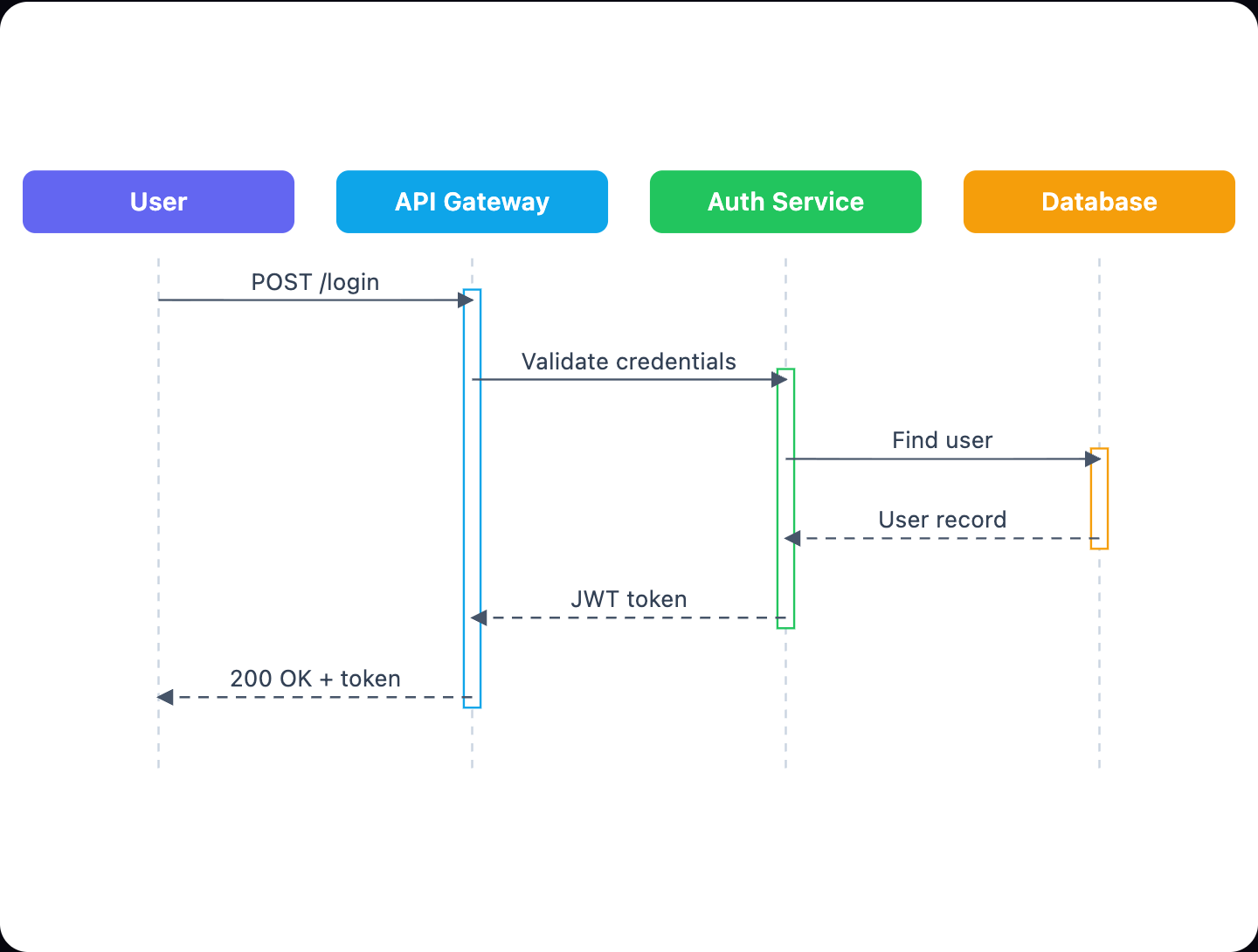
Example: Sequence diagram for JWT login and authentication: click to open it in the editor and change it.
Participants in the diagram
| Participant | Role in the login flow |
|---|---|
| User | Starts the login by sending credentials |
| API Gateway | Receives the request and forwards it to the auth service |
| Auth Service | Validates credentials and issues the JWT token |
| Database | Stores user records and returns the matching user |
Message flow, step by step
The diagram has six messages. The first three are synchronous calls, where the sender waits for an answer. The last three are return messages that carry the answers back.
- POST /login: the User sends a login request to the API Gateway.
- Validate credentials: the API Gateway passes the credentials to the Auth Service.
- Find user: the Auth Service asks the Database for the user.
- User record: the Database returns the stored user to the Auth Service.
- JWT token: the Auth Service sends a JWT token back to the API Gateway.
- 200 OK + token: the API Gateway replies to the User with a success status and the token.
The client keeps this token and sends it with later requests, so it does not need to log in again for each call.
How to adapt it for your project
- Add a failure branch, such as a 401 Unauthorized return when the user is not found or the credentials are wrong.
- Split JWT token into separate steps if you want to show password hash checking and token signing on their own.
- Add a second request that shows the User calling a protected endpoint with the token and the API Gateway verifying it.
- Rename participants to match your stack, for example a web app instead of User or an identity provider instead of Auth Service.
- Add a refresh token return next to the access token if your system uses one.
Tip: Keep sync calls and return messages visually distinct. When each request has a matching return, readers can quickly check that no call is left without an answer.
Frequently asked questions
What are the participants in a JWT authentication sequence diagram?
This diagram has four: User, API Gateway, Auth Service and Database. The gateway sits between the user and the auth service, and the auth service is the only participant that talks to the database.
Where is the JWT token created in this login flow?
The Auth Service sends the JWT token after it gets the user record back from the Database. The API Gateway then returns it to the User in a 200 OK response.
How many messages are in the JWT login sequence diagram?
There are six messages. Three are synchronous calls (POST /login, Validate credentials, Find user) and three are returns (User record, JWT token, 200 OK + token).
Make your own sequence diagram with AI →