File upload with an S3 presigned URL (sequence diagram)
This sequence diagram shows how a browser uploads a file directly to Amazon S3 using a presigned URL handed out by your API. It is for students learning cloud upload patterns and developers building file uploads that skip routing large files through their own server.
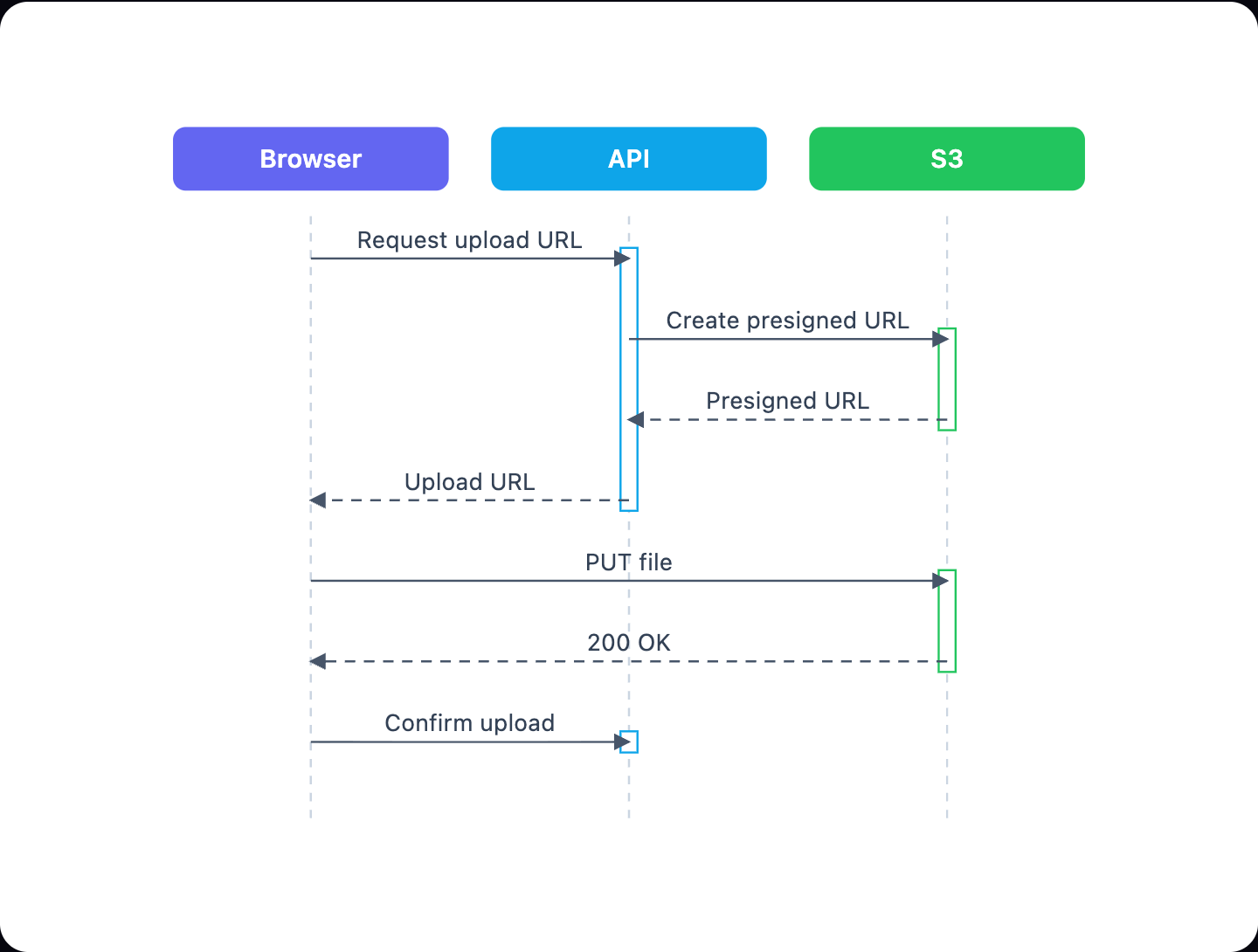
Example: Sequence diagram for file upload with an S3 presigned URL: click to open it in the editor and change it.
The three participants
- Browser: the client that wants to upload a file. It asks for permission, sends the file, and reports back.
- API: your backend. It decides whether the user may upload and provides the presigned URL.
- S3: the storage service that issues the presigned URL in this diagram and stores the uploaded file.
The messages in order
- Request upload URL (Browser → API): the client asks for a place to upload, usually sending a file name and type.
- Create presigned URL (API → S3): the API asks for a time-limited signed URL for one object key.
- Presigned URL (S3 → API): the signed URL comes back to the API.
- Upload URL (API → Browser): the API returns the URL to the client.
- PUT file (Browser → S3): the browser sends the file bytes straight to S3 with an HTTP PUT.
- 200 OK (S3 → Browser): S3 confirms the object was stored.
- Confirm upload (Browser → API): the client tells the API the upload finished, so it can save a record or start processing.
| Message | Type | Why it matters |
|---|---|---|
| Request upload URL | sync | Lets the API check the user before granting access |
| PUT file | sync | File data never passes through your API |
| Confirm upload | sync | Keeps your database in step with S3 |
How to adapt it for your project
- Add a Database participant after Confirm upload if your API stores file metadata.
- Add an error branch for a failed PUT file, such as an expired URL or 403 response.
- Swap S3 for another object store that supports signed URLs, like Google Cloud Storage or Azure Blob.
- For large files, split PUT file into several multipart upload messages.
- Open and edit it to rename messages so they match your real endpoints.
Tip: In practice, AWS SDKs usually sign the URL locally with your credentials without calling S3. You can keep the Create presigned URL arrow as a self-call on API if you want the diagram to match your code exactly.
Frequently asked questions
What is an S3 presigned URL upload flow?
It is a pattern where your API gives the browser a temporary signed URL, and the browser uploads the file directly to S3. Your server handles permission, not the file data.
Why does the browser confirm the upload to the API?
The API does not see the PUT to S3, so the **Confirm upload** message tells it the file exists. The API can then save metadata or trigger processing. S3 event notifications are an alternative.
How many participants are in this sequence diagram?
There are three: **Browser**, **API** and **S3**. They exchange seven messages, from **Request upload URL** to **Confirm upload**.
Make your own sequence diagram with AI →