Ride booking app sequence diagram
This sequence diagram shows how a ride gets booked in a ride-hailing app, from the moment a rider taps "request" to the moment they see their driver's arrival time. It is useful for students learning UML sequence diagrams and for developers sketching the request flow of a booking system.
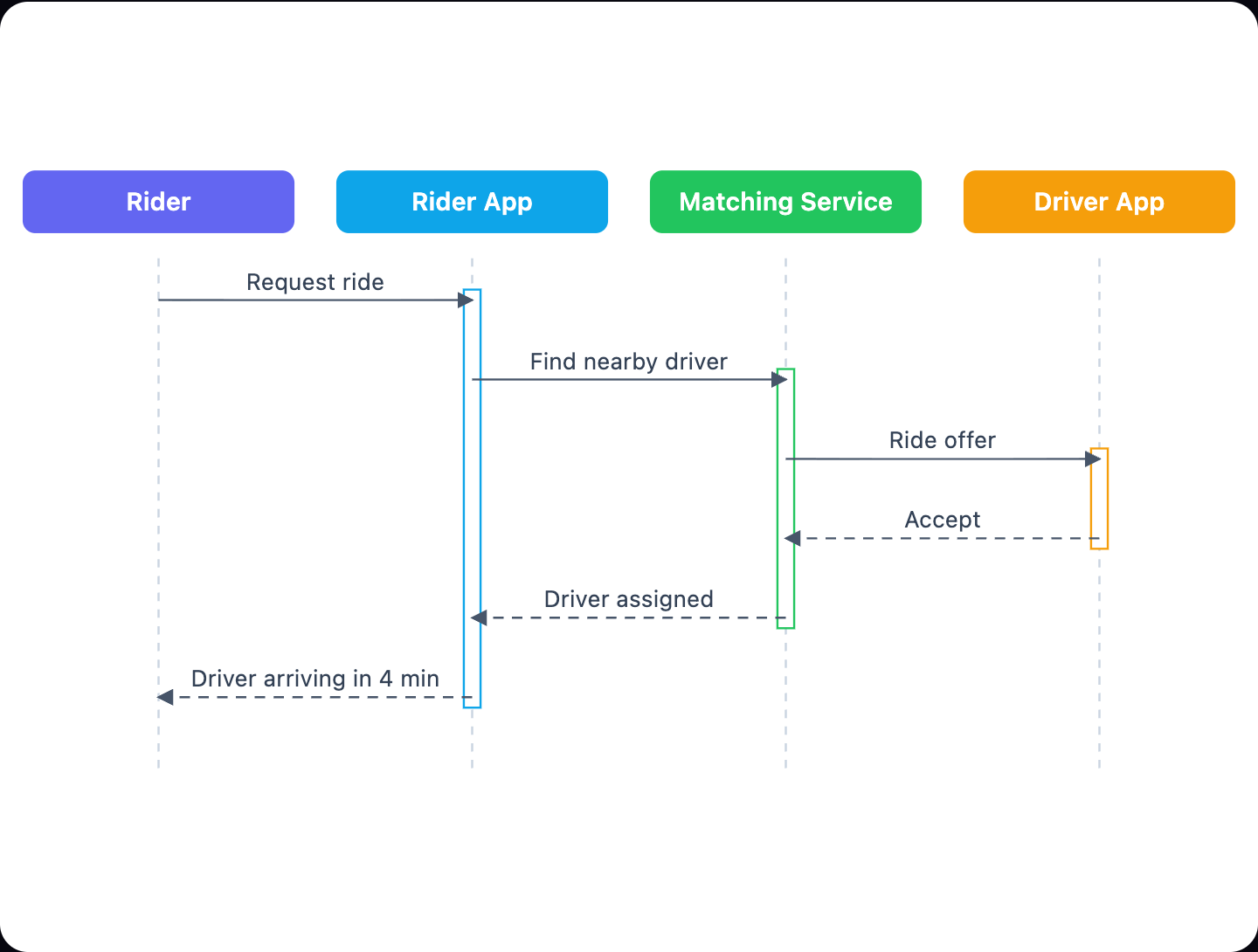
Example: Sequence diagram for booking a ride in a ride-hailing app: click to open it in the editor and change it.
Participants (lifelines)
| Participant | Role in the flow |
|---|---|
| Rider | The person who wants a ride and starts the interaction |
| Rider App | The mobile app the rider uses. It forwards requests and shows results |
| Matching Service | The backend that finds a nearby driver and coordinates the booking |
| Driver App | The app on the driver's phone. It receives the offer and responds |
Message flow, step by step
- Request ride (Rider → Rider App, synchronous): the rider asks for a ride.
- Find nearby driver (Rider App → Matching Service, synchronous): the app passes the request to the backend.
- Ride offer (Matching Service → Driver App, synchronous): the service sends the trip to a candidate driver.
- Accept (Driver App → Matching Service, return): the driver accepts the offer.
- Driver assigned (Matching Service → Rider App, return): the backend confirms the match.
- Driver arriving in 4 min (Rider App → Rider, return): the app shows the rider an ETA.
The first three messages are synchronous calls that travel left to right. The last three are return messages that carry the answer back. This mirror shape is the classic request–response pattern, and the rider only gets feedback after the driver accepts.
How to adapt it for your project
- Add a Payment Service lifeline if your app pre-authorises a card before matching.
- Add an alt fragment for when the driver declines, so the Matching Service can offer the ride to the next driver.
- Swap the fixed "4 min" label for a variable such as ETA if you are documenting an API.
- Add a Maps/Location Service if the matching step depends on live GPS lookups.
- Rename the participants to match your real services, for example Dispatch API instead of Matching Service.
Tip: Keep each message label short and verb-led, like "Request ride" or "Accept". If a label needs a full sentence, the step probably belongs in its own message.
Frequently asked questions
Who are the actors in a ride booking sequence diagram?
This diagram has four participants: the Rider, the Rider App, the Matching Service and the Driver App. The Rider is the human actor, and the other three are software components.
How many messages are in the ride booking sequence diagram?
There are six messages. Three are synchronous requests (Request ride, Find nearby driver, Ride offer) and three are returns (Accept, Driver assigned, Driver arriving in 4 min).
How do I show a driver rejecting a ride in a sequence diagram?
This diagram covers only the happy path where the driver accepts. To show a rejection, add an alt fragment after Ride offer with a Decline branch that loops back so the Matching Service can offer the ride to another driver.
Make your own sequence diagram with AI →